Parent Controls in LuniMuni: Story Review, AI Consent and What Is Stored
LuniMuni keeps every parent setting behind a grown-ups gate that asks for your birth year and does not save it. From the Parent Dashboard you manage each child's profile, choose whether a new story reaches your child at once or waits for your review, switch AI story generation off, set sounds, theme and downloads, and delete the account with its profiles and stories. Photos, drawings and voice recordings are never stored; the profiles and the stories are.
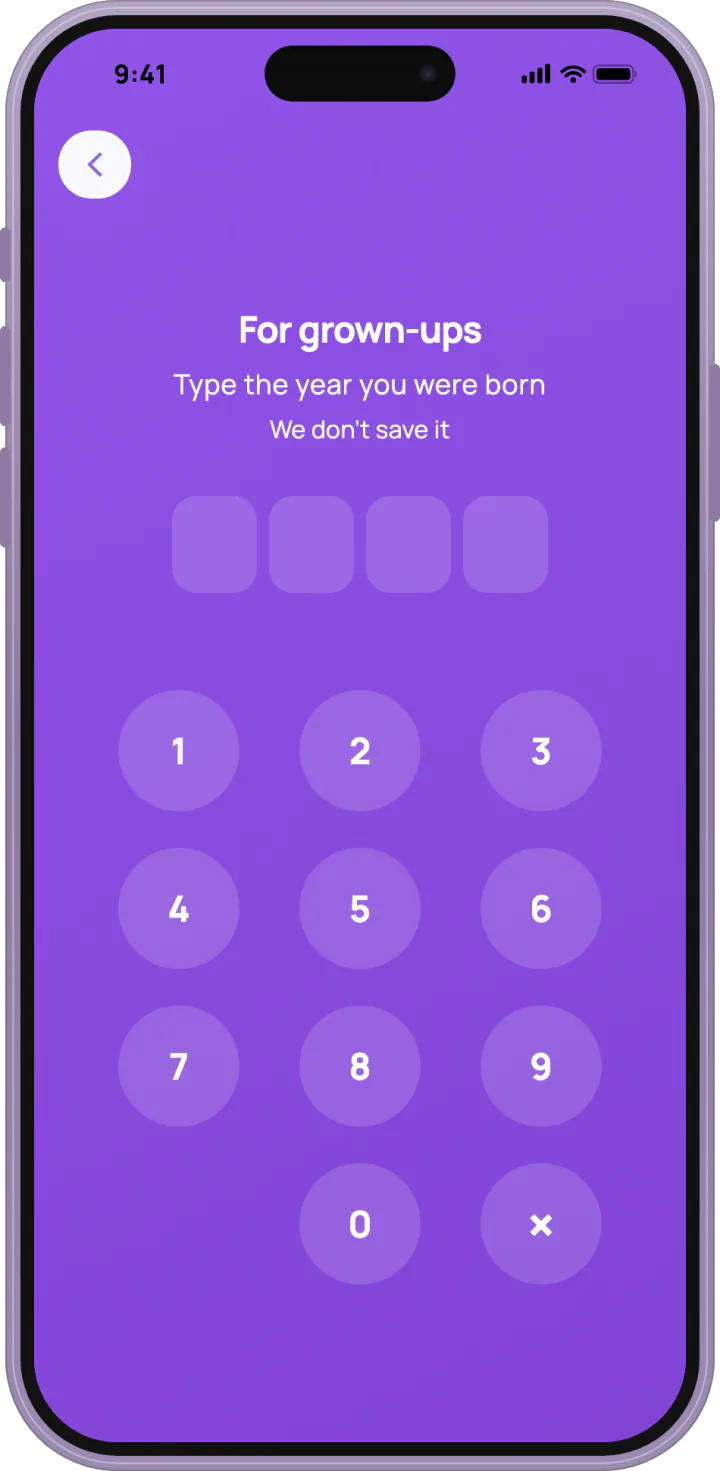
How does the grown-ups gate work?
LuniMuni opens the parent area with "For grown-ups": "Type the year you were born", and under it, "We don't save it". Any year that makes you 18 to 100 opens the area. There are three tries; a wrong year shows "This part is for grown-ups" and gives a child no hint.
What is in the Parent Dashboard?
LuniMuni's "Parent Dashboard" lists "Child Profiles" and "Pending Stories", then "Preferences": "Manage Subscription", "Language", "Approval Method", "Downloads", "Sounds", "Theme", and below them "Help & Feedback", "Terms of Use" and "Privacy Policy". The profiles are explained in the child profile. "Language" sets the app's own language (stories in 15 languages), "Downloads" and "Sounds" are explained in read-along and music, and "Theme" in what LuniMuni does at bedtime.
Can I review a story before my child sees it?
LuniMuni can hold every new story for you. Under "Approval Method" the default is "Auto-Approve: Stories are automatically approved and available immediately"; the other choice is "Review in App: Review stories in the parent dashboard before they're shown to children".
- In "Preferences", tap "Approval Method" and pick "Review in App".
- A new story now waits under "Pending Stories", and your child sees "A grown-up will check it first".
- Read the story, then tap "Approve Story", or decline it, with a reason if you like ("E.g., too scary, inappropriate content, etc.").
If the app cannot read your setting, a story waits for review rather than going straight to your child.
Is every story checked even when I don't review?
LuniMuni checks every story on its own: the idea is filtered and moderated before the story is written, and the story, its title and its cover are checked before your child sees them. A story that fails never reaches your child and does not use up one of your stories (how the checks work).
Can I switch off AI story creation?
LuniMuni asks for your consent to AI story generation at sign-up, in a box of its own, unticked, apart from the box for being over 18 and accepting the terms. In the parent area, "Allow AI story generation" can be switched off at any time: "Your child can't create new stories until you turn this back on. Saved stories stay." Your child then sees "Story creation is paused. A parent can turn it back on in Settings."
Does LuniMuni have ads, tracking or sharing?
LuniMuni has no ads, no advertising or cross-app tracking, no social features and no sharing. How the app is used is measured anonymously, without personal profiles. There are no streaks, and nothing rewards time spent in the app: the stickers your child earns mark things done, never days in a row.
What does LuniMuni store, and what never?
LuniMuni never stores your child's photos, drawings or voice recordings (what happens to a photo and a recording). It stores each child's profile (what is in it) and, for each story, its text, cover, narration and the word timings for the read-along light.
How do I delete the account?
LuniMuni's "Delete Account" sends a 6-digit code to your email. Entering it deletes all child profiles and all stories with their audio. The deletion cannot be undone.
What happens to our stories if the subscription ends?
LuniMuni keeps a family's stories in its library when a subscription ends, ready to read and listen to.