Read-Along Narration and Background Music in LuniMuni
LuniMuni reads every story aloud and lights each word as it is spoken. Your child picks the background music from 24 tracks, the text comes in three sizes, and every story stays on your child's bookshelf, to read and listen to again or to keep on the device for offline listening. At the end, "What Happens Next?" continues the story with the same characters.
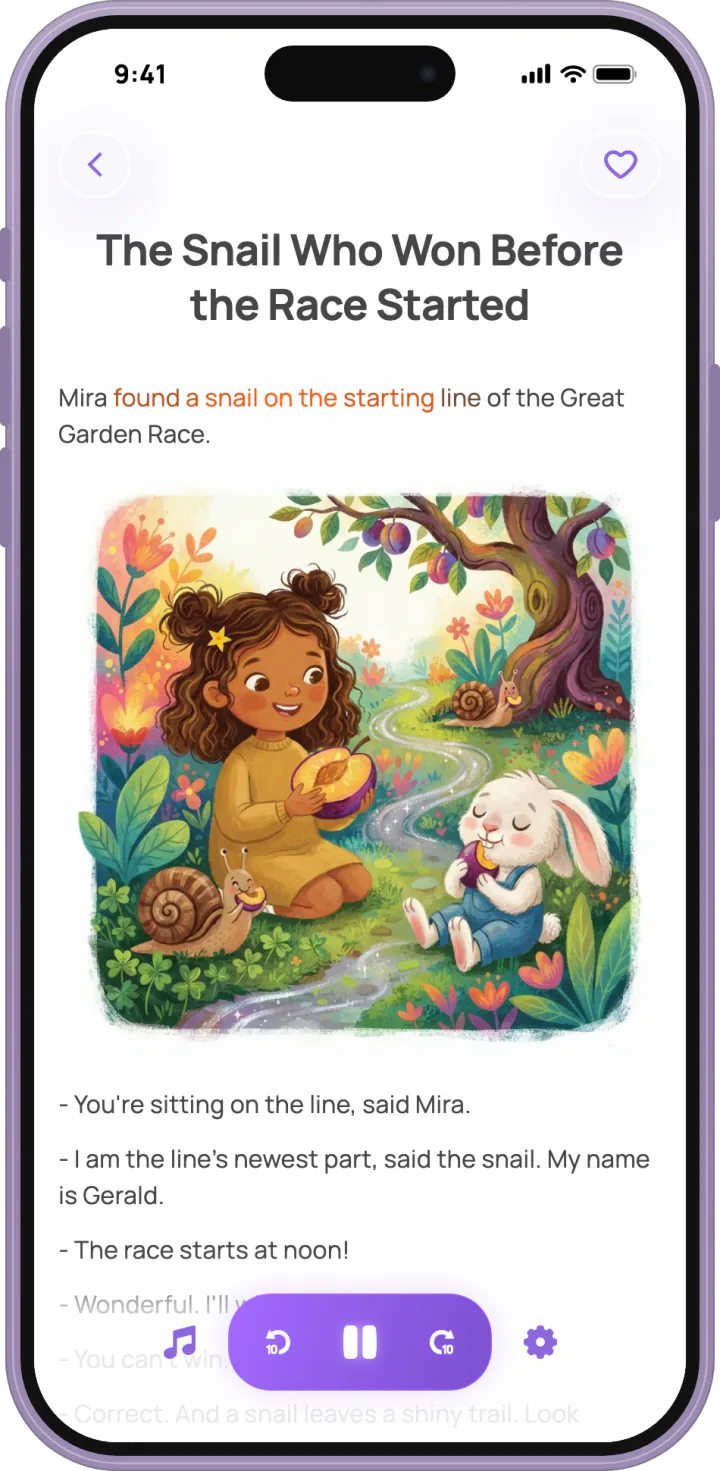
How does the read-along light work?
LuniMuni lights each word as the narrator says it. The light is a soft color that slides along with the voice; the word never turns bold, so the paragraph never jumps under your child's eyes. Its timing comes from the narration itself (how the story is made). A child who is learning to read sees each word at the moment they hear it.
What are the controls in the reader?
LuniMuni's reader has play and pause, skip back and skip forward, a music button and a settings button. Under settings, "Text Size" offers "Small", "Medium" or "Large". The app also follows the text size set on the phone itself.
How does my child pick the background music?
LuniMuni lets your child choose the music for each story.
- Tap the music button. The story stops, and "Background Music" opens with 24 tracks, among them "Sky Castle", "Pink Clouds", "Lantern Moon" and "Glowing Garden".
- Listen to a preview of any track, then pick one. The sheet closes.
- Tap play. The story starts again from the beginning, with a few seconds of music before the voice.
The track stays with that story. Choosing music for a story earns the "Music picker" sticker.
Does the story play when the phone is on silent?
LuniMuni's narration plays through the silent switch. The sound effects (taps, page turns, chimes and Luni's voice) follow the switch and go quiet with it. You can also turn the sound effects off altogether under "Sounds" in the parent area; as the setting says, "Story narration and music stay on."
Where do the stories go?
LuniMuni keeps every story on your child's bookshelf: "Favorites", "Latest" and "LuniMuni Stories". The last is the app's own numbered series of stories about Luni, there to read from the first minute, before your child has made a story. Each child in the family has their own bookshelf (the child profile), and the stories stay in your library even if the subscription ends (parent controls). Listening to a story to the very end earns the "Good listener" sticker.
Can my child listen without internet?
LuniMuni plays downloaded stories without a connection. Under "Downloads" in the parent area you choose which stories to keep on the device: "Favorites", "All Stories" or "LuniMuni Stories". Making a new story needs a connection.
How does a story continue?
LuniMuni ends every story with "What Happens Next?". A tap asks "Continue the story?" ("Luni will tell what happens next!"), and the next chapter keeps the same characters, so a favorite story grows into a series. Continuing a story earns the "What happens next" sticker.