Three Ways to Start a Story in LuniMuni: Voice, Text or Photo
LuniMuni starts every story from your child's own idea, given in one of three ways: said out loud, typed, or a photo of a drawing, a toy or a pet. On the Create screen your child picks Voice, Text or Photo at the top, gives the idea, and taps "Make my story". The voice recording is deleted on the phone once it is written down, and the photo is never stored.
What is on the Create screen?
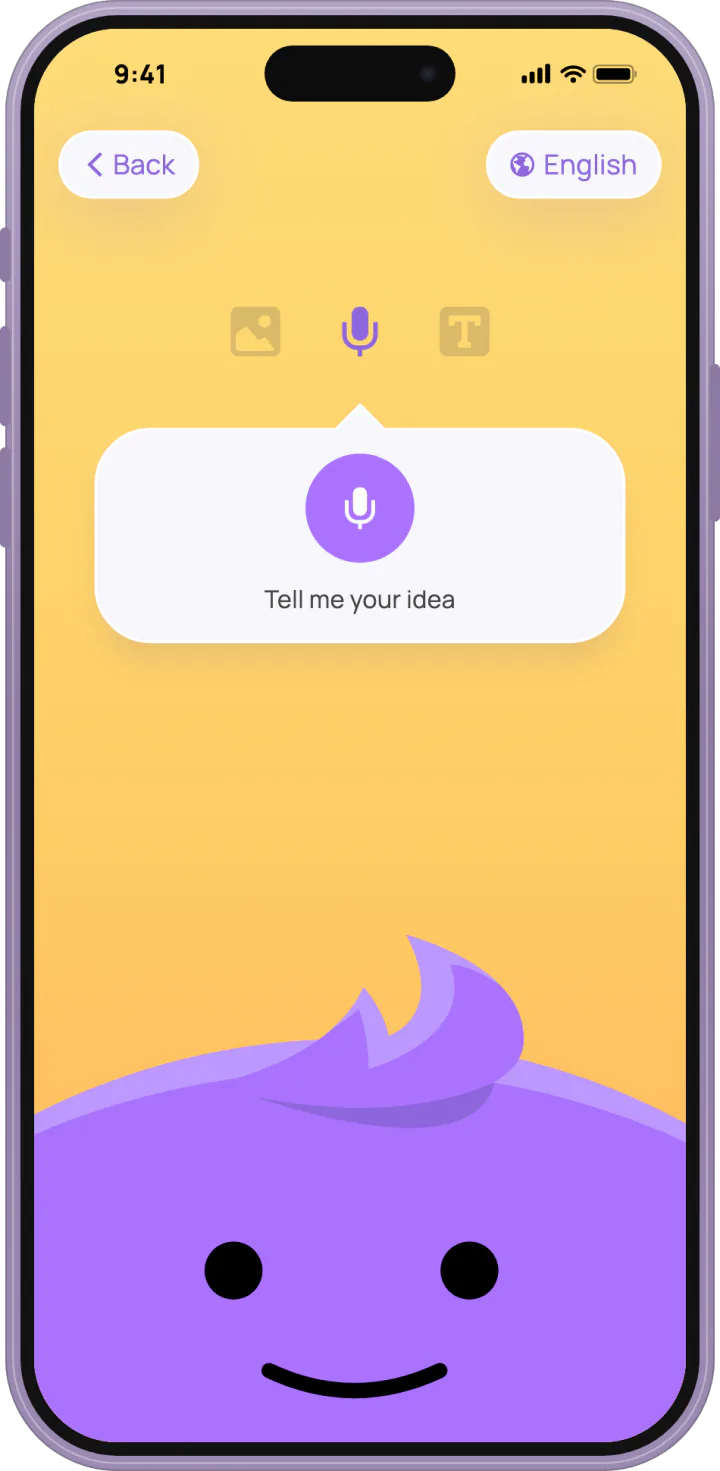
LuniMuni's Create screen shows the three modes as icons at the top: Photo, Voice and Text, with "Back" and a language chip beside them. Your child picks a mode, gives the idea, and about a minute later the story is ready (what happens in that minute). A first story earns the "Story maker" sticker.
How does my child tell a story idea out loud?
LuniMuni's Voice mode opens with "Tell me your idea".
- Tap the microphone and talk. Luni listens, looking up at your child, its ears twitching with the voice, and the screen says "Tap when you're done".
- Tap again. "Writing it down..." shows while the words are written out.
- "Here's what I heard" shows the words. Fix a word if one is wrong, tap "Say it again", or tap "Make my story".
A recording that is too short gets "I couldn't hear that. Try again a bit closer." Words the app could not make out get "I couldn't make out the words. Say it again or type it."
Voice lets a child who does not read or write yet start a story alone: the idea goes in as spoken. An idea told out loud earns the "Brave voice" sticker.
What happens to the voice recording?
LuniMuni deletes the recording on the phone as soon as it is written down, and keeps neither the recording nor the words as they were heard.
How does my child type a story idea?
LuniMuni's Text mode shows "Write your idea here...". Your child, or you, types the idea and taps "Make my story". A few words are enough.
How does my child make a story from a drawing or a toy?
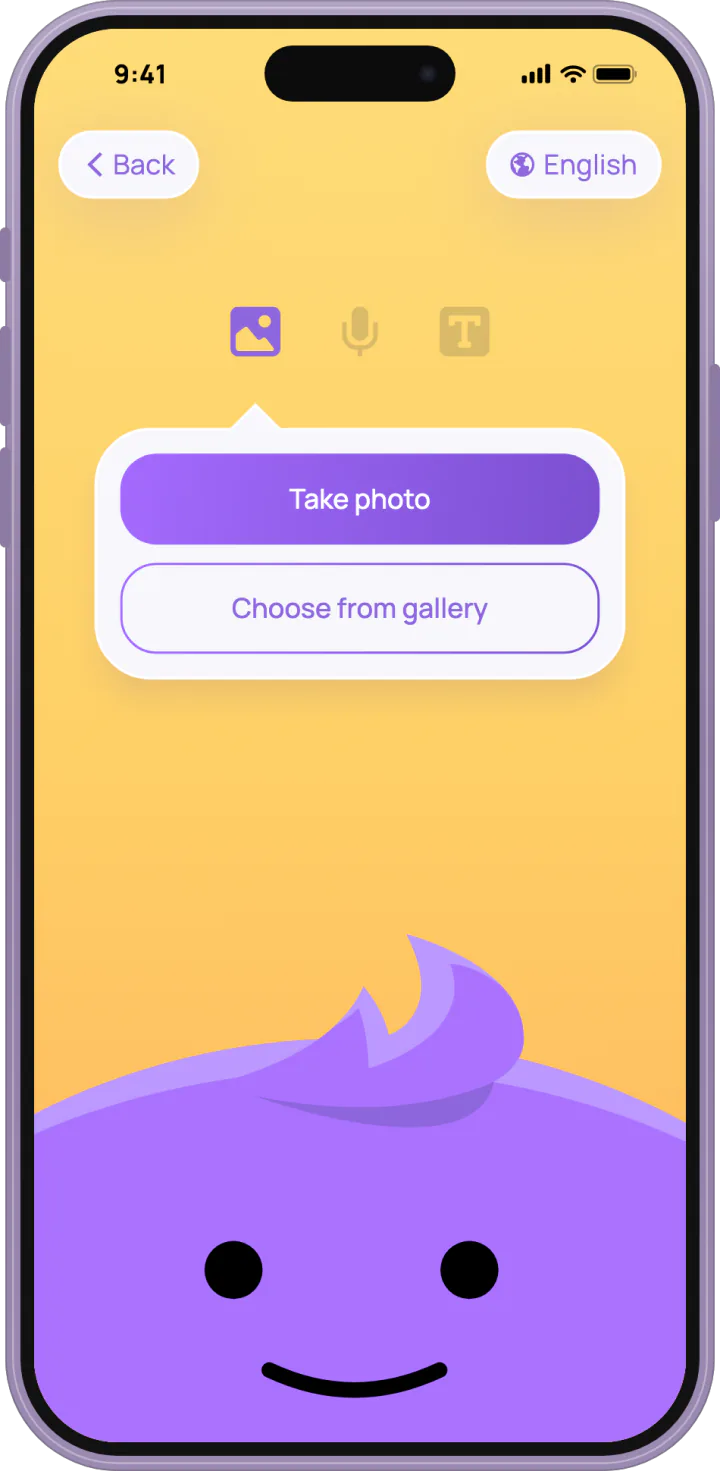
LuniMuni's Photo mode offers "Take photo" or "Choose from gallery". A drawing, a favorite toy, a pet: whatever your child wants in the story.
- Tap "Take photo" and point the camera at the drawing or the toy, or tap "Choose from gallery" for a picture already on the phone.
- The photo appears as a little print, and Luni makes an "ooh" face.
- Tap "Make my story".
The screen says "Photos are processed securely and not stored."
What happens to the photo?
LuniMuni never stores the photo. It is checked first (the checks on every story). Then a vision model, an AI that puts a picture into words, describes what it sees, and that description is the whole input for the story and also guides the cover. The description names what is in the picture the way your child means it (a princess, a dog with wings), never as paper, crayons or lines on a page, and a photographed person by what they do, never by how they look. Your child is still the hero of the story, by name (the child profile).
How does my child pick the language for a story?
LuniMuni shows the story's language on the chip at the top of the Create screen, for example "English". With one story language in your child's profile, the chip only shows it. With more than one, tapping it opens "Select Language", and your child picks the language for this story. Setting a child's languages, and how a family with several uses them: stories in 15 languages.